AI Shaking Head
EN
Make my video

Your video is one step away

Sign-in is free and needs no card. We never publish your photo.

By continuing you agree to the terms and privacy policy.

AI Shaking Head

Shaking Head Animation

Not a warp, not a puppet: an AI video model redraws your photo in motion.

Updated Oct 29, 2026 · Independent tool. Not affiliated with, endorsed by or sponsored by TikTok, CapCut, ByteDance or the creators of the original shaking head clip.

Squint · Snap · Shake

Make your shaking head video

Three choices and one tap. The squint, the snap, the head shake and the sound are already built in.

01 Add a photo of your pet

Face to the camera, both eyes visible, sitting or lying. JPG, PNG or WebP, up to 10 MB.

02 Pick the template

03 Model, quality and format

Standard · 720p · 9:16Change model, resolution or format 10 credits

Model

Resolution

Format

By generating, you confirm the photo shows you, an adult who gave permission, your own child (you are their parent or guardian) or your pet, and no celebrities or public figures. Terms · Privacy

Get credits to make your video

✓ No subscription needed: pay once, pack credits never expire.

/mo

once

Pay once, no subscription. Credits never expire.

once

Secure checkout by Waffo · Packs are one-time and never expire · Plans renew until cancelled, cancel anytime from your account

How does a still photo become a shaking head animation?

A shaking head animation is made by giving an AI video model one photo and a fixed shot list, so it redraws your subject squinting, snapping its eyes open and shaking its head for 10 seconds. AI Shaking Head builds the shot list in. Unofficial: not affiliated with TikTok, CapCut, ByteDance or the original creator. Animate a photo.

How does the animation get made?

You upload a photo and pick a template. The site sends the photo and the template's instructions to a video model from ByteDance. The model generates new frames in which your subject performs the loop. The original sound is then added to the finished file. Nothing is cut out and moved like a paper doll, which is what makes the open-eyed snap possible. For why writing those instructions yourself is hard, see the prompt page.

What moves and what stays?

MovesStays from your photo
Eyelids: shut, then wide openFace shape and proportions
Head: slow sway, then a quick side-to-side shakeFur or hair colour and markings
Mouth: closed grin, then open, tongue tip out on a petClothing, collar or blanket
Ears, cheeks, whiskers or hair react to the shakeThe overall scene and light

The angle matters: a front-facing photo gives the model the most to work with. The tutorial lists the photo tips.

What is the beat sheet?

Measured from the original clip, each loop runs about 3.6 seconds and the clip repeats it three times.

TimeBeatWhat happens
0.0–1.2sSmug squintEyes squeezed shut, a cheeky closed-mouth grin, the head sways slowly left and right.
1.2–1.5sSnapThe eyes pop wide open in one frame and the head lifts.
1.5–3.2sWide-eyed shakeRound staring eyes, the mouth opens (tongue out on a pet, a goofy grin on a person) and the head shakes quickly side to side.
3.2–3.6sBack to the squintThe eyes close again and the smug grin returns.
3.6–10.0sLoop twice moreThe same squint, snap and shake repeat twice, in time with the original sound.

The same timing is used on every template, so a calf, a dog and a selfie all snap at the same moment as the cat. Read how the loop started on the trend page, why it is funny on the funny shaking head page, or try the Smug Cat template.
Make my video

Seen on TikTok

The trend in the wild

The original clip and remakes that spread on TikTok in October 2026. Tap the speaker for the trend sound.

Three steps

How to do the shaking head trend

No timeline editing and no prompt writing. The clip is already choreographed, you bring the face.

01

Upload one photo

A clear, front-facing photo of your pet, your baby or yourself, with both eyes visible.

02

Pick the template

Choose one of 7 templates: Smug Cat, Wide-Eyed Kitten, Dog Head Shake, Farm Calf, Any Pet, Selfie or Baby Giggle.

03

Download and post

Get the 10-second MP4 with the trend sound already in it, add your caption and post.

Questions

FAQ

Is the shaking head animation a 2D puppet or a face warp?

No. The shaking head animation on AI Shaking Head is generated by an AI video model, Seedance 2.0 / 2.5 by ByteDance, which draws every frame. A puppet or warp only bends the pixels of your photo, so the eyes cannot truly open. Generated frames let the eyes snap wide and the head turn.

What stays the same from my photo in the animation?

The look of your subject stays: face shape, fur or hair colour, markings, outfit and the background style. The shaking head animation then adds the movement and a wide-eyed expression that was not in the photo. Small details such as whiskers or jewellery can shift, so use a sharp photo to keep them steady.

How long does the shaking head animation take to render?

The shaking head animation takes an estimated three to four minutes on AI Shaking Head, an estimate rather than a measured figure. The finished clip is 10 seconds long, delivered as an MP4 and not a GIF, and stays available to download for 24 hours. A failed render returns its credits automatically.

Can I pick a higher quality for the shaking head animation?

Yes. AI Shaking Head offers 4 model tiers (Standard, Fast, Pro, Ultra) and 480p, 720p or 1080p where the tier allows it. Standard at 720p is the default. Higher tiers cost more credits and give cleaner detail in the fast head shake, but the movement follows the same beats.

Your video is one photo away

Upload a photo of your pet, your baby or yourself, pick the template, generate.

Make my video
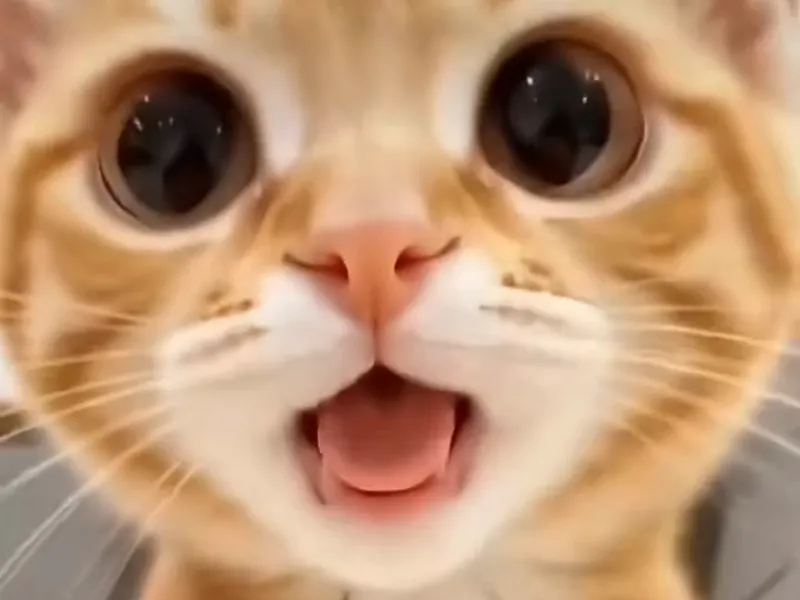
A wide-eyed orange kitten mid head shake