AI Shaking Head
EN
Make my video

Your video is one step away

Sign-in is free and needs no card. We never publish your photo.

By continuing you agree to the terms and privacy policy.

AI Shaking Head

Shaking Head Meme Edit

Caption, clip, sound. Three parts, one photo.

Updated Oct 29, 2026 · Independent tool. Not affiliated with, endorsed by or sponsored by TikTok, CapCut, ByteDance or the creators of the original shaking head clip.

Squint · Snap · Shake

Make your shaking head video

Three choices and one tap. The squint, the snap, the head shake and the sound are already built in.

01 Add a photo of your pet

Face to the camera, both eyes visible, sitting or lying. JPG, PNG or WebP, up to 10 MB.

02 Pick the template

03 Model, quality and format

Standard · 720p · 9:16Change model, resolution or format 10 credits

Model

Resolution

Format

By generating, you confirm the photo shows you, an adult who gave permission, your own child (you are their parent or guardian) or your pet, and no celebrities or public figures. Terms · Privacy

Get credits to make your video

✓ No subscription needed: pay once, pack credits never expire.

/mo

once

Pay once, no subscription. Credits never expire.

once

Secure checkout by Waffo · Packs are one-time and never expire · Plans renew until cancelled, cancel anytime from your account

How do I make a shaking head meme edit?

A shaking head meme edit is a 9:16 video that combines a caption, the 10-second shaking head loop and the trend's original sound. You supply the photo and the caption; AI Shaking Head supplies the loop and the sound. Unofficial: not affiliated with TikTok, CapCut, ByteDance or the original creator. Make the clip.

What is the meme edit format?

Three layers. At the top, a line of white text with the setup. In the middle, the loop: smug squint, snap, shake, three times. Underneath, the original sound that gives the clip its rhythm. Most of the trend's early clips used a plain one-line caption and no other effects, which is why a single photo is enough. See how the trend began for the first examples.

How do people caption it?

  • Culprit first. "How my roommate acts when..." puts the target in the opening words.
  • One small crime. A shut-off computer, a spoiled spoiler, a moved charger.
  • A number. The original used 95% of a grade. A percentage makes it feel exact.
  • Own the subject. The cat in your lap makes a better culprit than a stock animal.

Need lines? See funny caption ideas for the shaking head trend, sorted by situation.

How do I export and post it?

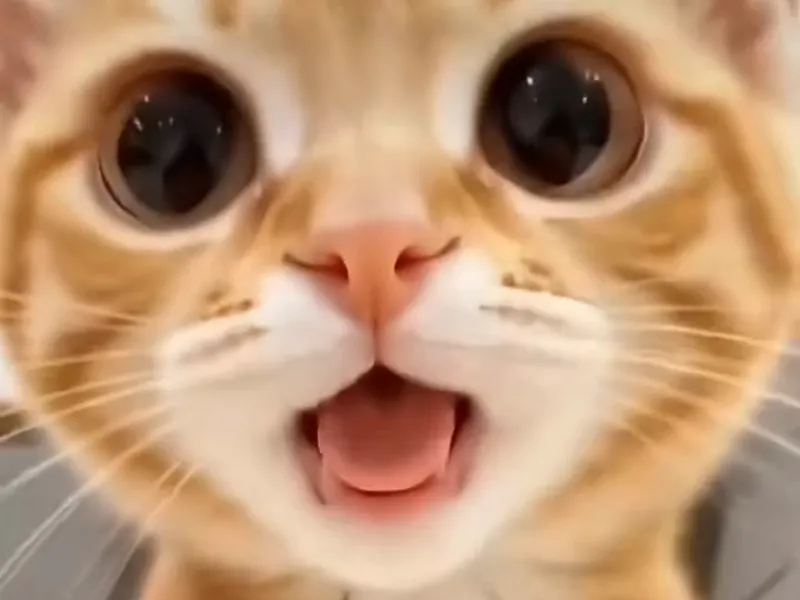
  1. Choose a photo and the Wide-Eyed Kitten template for a big-eyed look, or any other template.
  2. Select 9:16 and generate. A standard video costs 10 credits.
  3. Download the MP4 within 24 hours. It has no watermark and already has the sound.
  4. Open TikTok, Instagram or YouTube Shorts, add your caption text, and post.

Keep text away from the bottom edge, where the app puts its own caption. If you see the CapCut route in tutorials, the CapCut template page explains what is available. For step-by-step help, read the tutorial.
Make my video

Seen on TikTok

The trend in the wild

The original clip and remakes that spread on TikTok in October 2026. Tap the speaker for the trend sound.

Three steps

How to do the shaking head trend

No timeline editing and no prompt writing. The clip is already choreographed, you bring the face.

01

Upload one photo

A clear, front-facing photo of your pet, your baby or yourself, with both eyes visible.

02

Pick the template

Choose one of 7 templates: Smug Cat, Wide-Eyed Kitten, Dog Head Shake, Farm Calf, Any Pet, Selfie or Baby Giggle.

03

Download and post

Get the 10-second MP4 with the trend sound already in it, add your caption and post.

Questions

FAQ

What is a shaking head meme edit?

A shaking head meme edit is a short vertical video that pairs the shaking head loop with a caption and the trend's original sound. The caption names a person, pet or situation, and the clip plays the reaction. AI Shaking Head makes the clip part from one photo, 10 seconds long, with the sound already on.

What size should a shaking head meme edit be?

Use 9:16 for a shaking head meme edit on TikTok, Reels and Shorts, because it fills a phone screen. AI Shaking Head also exports 1:1 and 16:9, and 480p, 720p or 1080p depending on the model tier. Keep the caption in the middle of the frame, away from the buttons at the right and the text at the bottom.

How do people caption a shaking head meme edit?

Captions in a shaking head meme edit follow one formula: how somebody acts after something small but annoying happened to you. The original blamed a friend for restarting a test on a Chromebook. Keep it short, one line, and put the culprit in the first words. AI Shaking Head does not add text; you add it in your posting app.

Can I use the shaking head sound on my own edit?

The shaking head meme edit from AI Shaking Head comes with the trend's original sound already on the MP4, so you do not need to search for it. Platforms set their own rules for sounds and AI labels, so check the app you post to. This site is not affiliated with TikTok or the original creator.

Your video is one photo away

Upload a photo of your pet, your baby or yourself, pick the template, generate.

Make my video
A wide-eyed orange kitten mid head shake