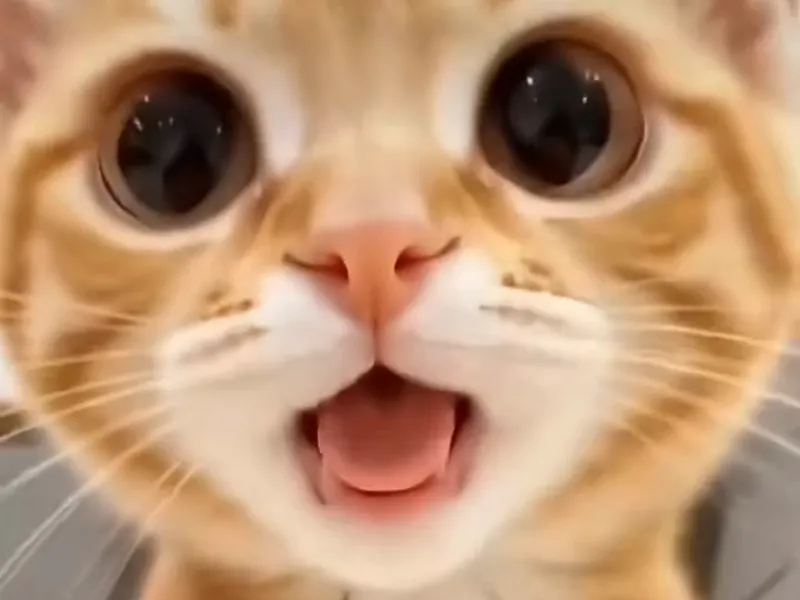
Copied shaking head prompts fail because the trend is a timed performance, not a scene, and a block of pasted text cannot hold a face, a head direction, a one-frame eye snap and a three-loop rhythm steady at the same time. AI Shaking Head takes that work off you: you upload one photo, pick a template, and the generator already knows the beats, so there is nothing to paste.
Key takeaways
- A pasted prompt describes the clip in words, but the trend depends on timing to a fraction of a second, and words are a weak way to control timing.
- The usual failures are a changed face, a nod instead of a shake, eyes that drift open instead of snapping, a loop that slides out of step with the sound, and animals whose faces cannot do a squint.
- The original sound cannot be generated with the picture. AI Shaking Head adds it after rendering.
- This article explains the principles and gives no prompt, because the working answer is the built-in generator.
- A standard video costs 10 credits at 720p on the Standard tier. The smallest pack, Single, is $6.99. There is no free tier.
- AI Shaking Head is independent and not affiliated with TikTok, CapCut or ByteDance.
Open the generator for the clip. Background pages: the shaking head trend, the tutorial, the prompt page and the CapCut template page.
Why do copied shaking head prompts fail?
Copied prompts fail because they were written for someone else's photo, someone else's tool and someone else's lucky run. When a creator posts a prompt next to a good clip, you see one result out of an unknown number of tries. You do not see the discarded takes, the photo that was chosen because it worked, or the settings around the text. The prompt looks like the recipe, but it is only one ingredient.
The trend raises the bar. The original clip runs about 10 seconds and repeats one loop about three times. Each loop is about 3.6 seconds: a slow smug squint with the eyes shut, a snap where the eyes pop wide open, a quick wide-eyed head shake, and a return to the squint. Five things have to go right in a fixed order: the face stays the same face, the eyes close, the eyes open in a single beat, the head turns left and right instead of up and down, and the loop repeats without changing.
A general-purpose video model is built to produce a plausible clip, not to follow a stopwatch. It can give you a cat that moves. Getting that cat to squint, snap and shake in time, three times, is a much narrower request, and a sentence of text does not pin it down. That is why two people can paste the same words and post very different clips.
Why does the face change halfway through the clip?
The face changes because the model is inventing frames, not moving your photo. Your photo is the starting point. Every later frame is generated, and as the head turns and the expression changes, the model has to fill in angles and expressions your photo never showed. The farther it moves from the original frame, the more room there is for the fur pattern, the eye colour or the shape of the ears to slide toward something more generic.
This is called identity drift, and the shaking head trend invites it. A head shake shows the face at an angle, a squint hides the eyes completely, and a wide-eyed stare changes the face in a single beat. A viewer who knows their own pet, or their own child, notices a changed face at once, even when the clip is smooth.
Several things make drift worse:
- A small, blurry or heavily compressed photo gives the model little to hold on to.
- A photo taken from the side or from above shows less of the front of the face, so the model guesses more.
Words in a prompt cannot fix that. Writing "keep the same face" asks the model to be careful, but it does not give it more information about your face. The real levers are the photo and the quality tier. A sharp, front-facing photo gives the generator the most to work with, and the higher tiers hold a face more closely than Standard. If you see drift, the answer is a better photo or a higher tier, as laid out in 8 shaking head AI video problems and how to fix each.
Why does the head nod instead of shake?
The head nods because "shaking head" is an ambiguous phrase, and the model has seen far more nodding, bobbing and tilting than the trend. In everyday language a head can shake yes or no. In many clips a head moves up and down, tilts, bobs to music or turns slowly. The trend means one exact thing: a side-to-side "no" shake, fast, with round eyes and the head staying level.
When a prompt leans on the phrase alone, the model picks a common movement that matches the words loosely. That is often a small bob, a head tilt or a gentle sway. You get a moving head, and it is not the trend.
The reliable fix is to stop describing the motion in text and use a system that already treats the motion as a fixed part of the clip. AI Shaking Head keeps the head movement as part of each template, so a Smug Cat, a Dog Head Shake or a Selfie Head Shake starts from the side-to-side movement. If a result still nods, the answer is to try another template or a higher tier, not to rewrite anything.
Why do the eyes not snap open?
The eyes do not snap open because the snap is a one-frame event, and video models like to smooth things. The strongest beat sits at roughly 1.2 to 1.5 seconds in each loop: the eyes go from squeezed shut to wide open in one frame. A video model is trained to produce motion that looks continuous, so it prefers to open the eyes gradually. A slow opening is realistic and it kills the joke.
The squint matters as much as the snap. For the snap to land, the eyes before it must be clearly shut, with a closed-mouth, pleased expression. If the eyes are only half closed, there is nothing to snap from. If the grin is missing, the shake that follows has no setup.
Faces differ too. A person has eyelids, brows and a forehead that reads emotion. A kitten has big eyes and very little brow. A calf has eyes on the sides of a long face. The same instruction means something different on each, which is a reason one block of text cannot cover everything. In AI Shaking Head each template is built around a kind of subject, such as a cat, a kitten, a dog, a calf, any pet, a selfie or a baby, so the eye beat is set up for the face in your photo and not for an imaginary average face.
Why does the loop drift out of step with the sound?
The loop drifts because the timing of a generated clip is never exact. The original sound is tied to the original loop. Each repeat of the smug-to-wide-eyed cycle is about 3.6 seconds, and the viral clip repeats it about three times. A fan of the trend knows where the snap should fall against the sound. If yours lands a fraction of a second late, the clip feels wrong even when you cannot say why.
A generated clip can run a little slow or a little fast. One run might spend more time in the squint and less in the shake. Another might fit only two and a half loops into the clip instead of three. A text prompt can ask for "three loops", but the model counts loosely, and it can drop or add a repeat without any sign.
The cleaner approach is to treat length and rhythm as fixed. AI Shaking Head renders a 10-second clip built around three loops and then adds the trend's original sound to the finished video, so you get one file with picture and audio together. You do not trim, loop or sync. If a result is off, the fix is another template or a higher tier, because the rhythm of a run varies from one run to the next.
Why do animals without eyelids or with unusual faces break the trend?
They break the trend because the squint needs something to close. The first half of every loop is a pair of eyes squeezed shut. A cat, a dog, a calf, a person and a baby all have eyelids that can do that. Animals whose eyes do not close in the same way, such as fish and snakes, give the model nothing natural to animate, and a photo of one asks for a movement its face does not make.
The model does not refuse these requests, it improvises. You might get eyes that flicker, a face that melts into something else, or no squint at all, and the head shake might turn into a whole-body wobble.
Even among mammals, face shape matters. A calf shaking its head looks different from a cat doing the same thing, because the eyes sit differently on the head. The Farm Calf template exists for that reason: it is set up for the proportions of a calf and its field. For animals the other templates do not name, Any Pet Any Place keeps the background of your photo and animates the animal where it already is.
Sunglasses, masks, hats pulled over the eyes and heavy shadows cause the same trouble, because the squint and the snap cannot happen if the eyes are never visible. A photo with both eyes in clear light is the cheapest improvement you can make, and it costs nothing. All seven options are on the templates page.
Why must the original sound be added after rendering?
The sound is added after rendering because the video model makes pictures, not the trend's audio, and the audio is a fixed recording. The viral sound is an existing track, and the loop was built around its timing. A video model cannot reproduce it. Even if a tool generated new audio, it would only sound similar and would not match the beats of the real one.
Adding the sound afterwards also lets the picture be judged on its own. If the clip is good, the sound is placed over it. If the clip is off, you render again and the sound follows again. This also explains a common frustration with copied prompts: people paste text that mentions the sound and expect the tool to produce it, and the request is ignored or gives a muddy approximation.
AI Shaking Head handles this in one step. The finished 10-second MP4 comes with the trend's original sound already added, with no watermark, in 9:16, 1:1 or 16:9. Because the sound is in the file, you can upload it as it is. Posting tips are in how to post your shaking head video on TikTok and Reels.
What does the built-in generator do that a pasted prompt cannot?
It removes the guesswork. The generator is built around the trend, so the things that break copied prompts are handled by the template and the tier instead of by your wording. That does not make every render perfect, because video models vary from run to run, but it changes which levers you pull.
Here is the path on AI Shaking Head:
- Open the generator and upload one clear photo: a pet, your own baby (parents and guardians only, fully clothed) or yourself.
- Pick a template: Smug Cat, Wide-Eyed Kitten, Dog Head Shake, Farm Calf, Any Pet Any Place, Selfie Head Shake or Baby Giggle.
- Pick a ratio (9:16, 1:1 or 16:9) and a tier. Standard at 720p costs 10 credits, Fast 17, Pro 20 and Ultra 37.
- Render. The video is ready in about three to four minutes.
- Download the MP4 within 24 hours.
There is no free tier. Credits come in packs and never expire. The smallest pack, Single, is $6.99 for 10 credits, enough for one Standard 720p video. Trio gives 30 credits and the Duo Pack gives 50. A render that fails returns its credits automatically, and there are no refunds otherwise, so the first move is a good photo and the right template. The pricing page lists every pack. Uploaded photos are deleted within 24 hours.
Frequently asked questions
Is there a shaking head prompt that always works?
No. AI Shaking Head does not rely on a copied prompt because no pasted text controls identity, head direction, the eye snap and loop timing together, and results vary by photo and by run. The reliable route is one clear photo, a template for your subject and a higher tier when a face drifts.
Why does my shaking head video nod instead of shake?
AI Shaking Head builds the side-to-side shake into each template, so a nod usually comes from a copied prompt where the phrase "shaking head" was ambiguous. Try another template or a higher tier, and use a front-facing photo. Rewriting text is not the fix.
Can AI Shaking Head use the original sound?
Yes. AI Shaking Head adds the trend's original sound to your finished 10-second video after rendering, so the file you download has picture and sound together. The sound is not generated with the picture, which keeps the loops and beats lined up. You can post the MP4 as it is.
Does it work for animals without eyelids?
AI Shaking Head works best for faces that can close and open their eyes, such as cats, dogs, calves, people and babies. For animals with unusual faces, Any Pet Any Place is the template to try, with a clear photo of the face. Results can vary, and failed renders return their credits.
How long does a render take and what does it cost?
AI Shaking Head renders in about three to four minutes. A standard video is 10 credits at 720p on the Standard tier, and the smallest pack, Single, is $6.99 for 10 credits. There is no free tier, credits never expire, and failed renders return their credits.